

How to set up TVIP S-Box
Set up IPTV on the TVIP S-Box using a Stalker portal URL and MAC address. Step-by-step guide to load your channels and VOD in about 6 minutes.
- 1
Open Settings
From the main menu, select Settings.
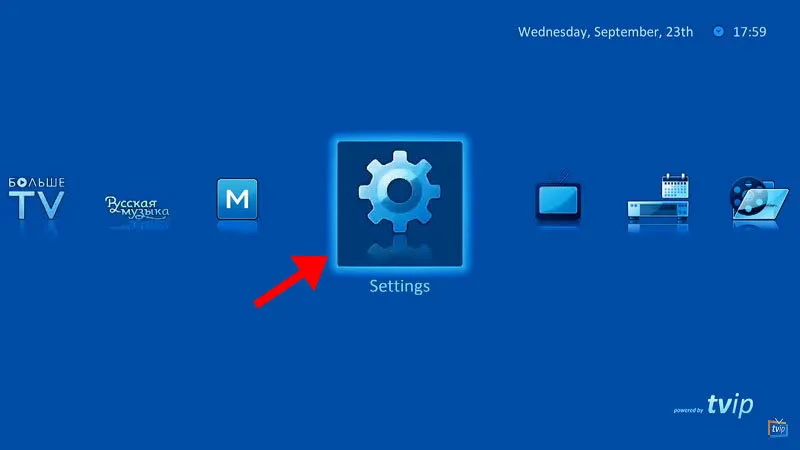
- 2
Choose the content source
In the right-hand menu, select the TV icon, change the content source to Web portal, and choose Set up web portal.
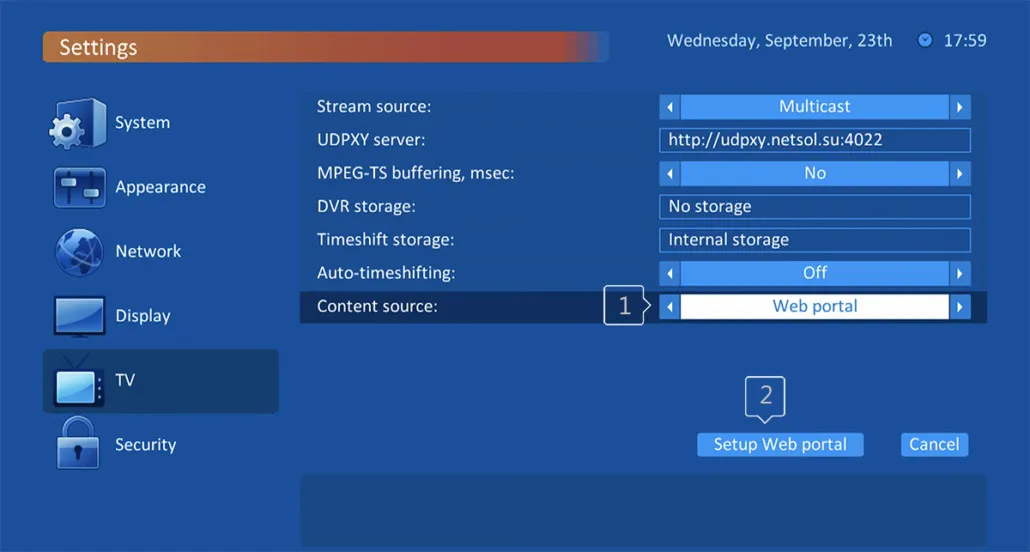
- 3
Configure the web portal
Enter your portal URL, set Use Web Portal to Whole system, set API mode to MAG, then press Apply.
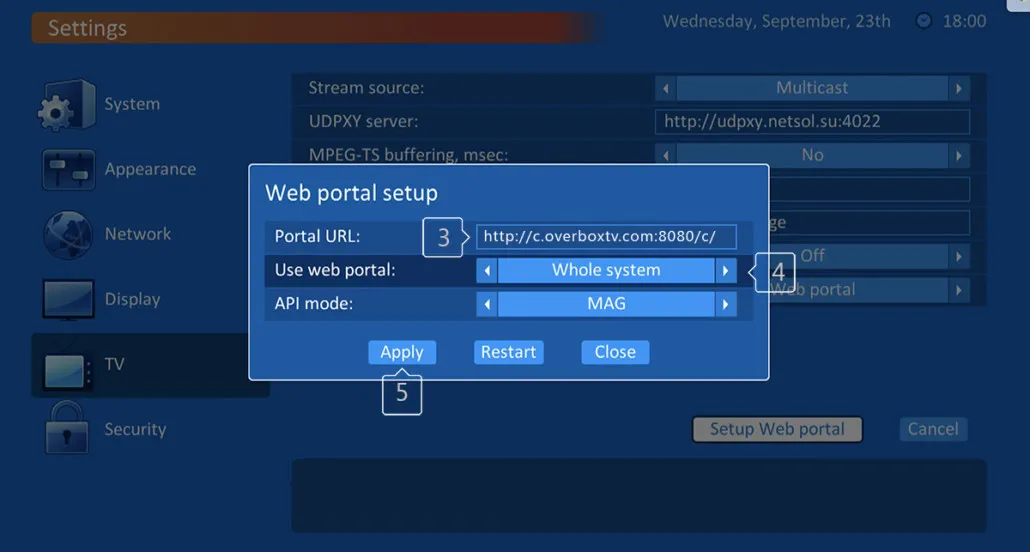
- 4
Wait for the portal to load
Allow the portal a few minutes to load your playlist with channels and VOD.
Frequently asked questions
Where do I get the portal URL?
The portal URL is the Stalker server address provided by your IPTV provider. Ask your provider if you can't find it in your client dashboard.
Why are no channels loading?
Your device's MAC address must be registered on the provider's server. Add it through your client dashboard or ask your IPTV provider to assign it for you.
My firmware doesn't have a MAG API option. What should I do?
Older TVIP firmware uses GSTB instead of MAG. Select GSTB in the API mode field, or update the firmware to the latest version.
Don’t have your login yet?