

How to set up Smart STB
Install IPTV on Smart STB for Samsung, LG, and Android TV. Find your MAC address, start the 7-day free trial, and add your Stalker portal in minutes.
- 1
Install and find your MAC
Install Smart STB from your TV's app store and open Device Info to find your Software MAC and Virtual MAC.
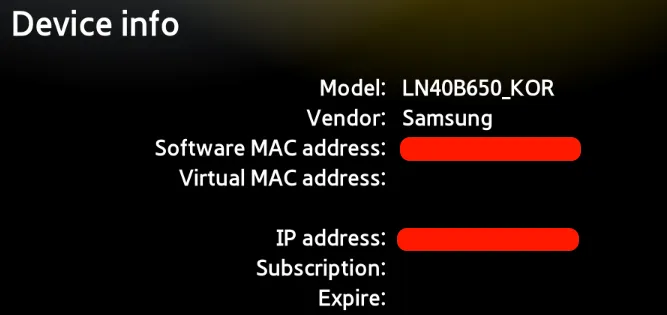
- 2
Start the 7-day free trial
On the Smart STB website, enter your Software MAC and your Stalker portal address, then complete the free checkout.
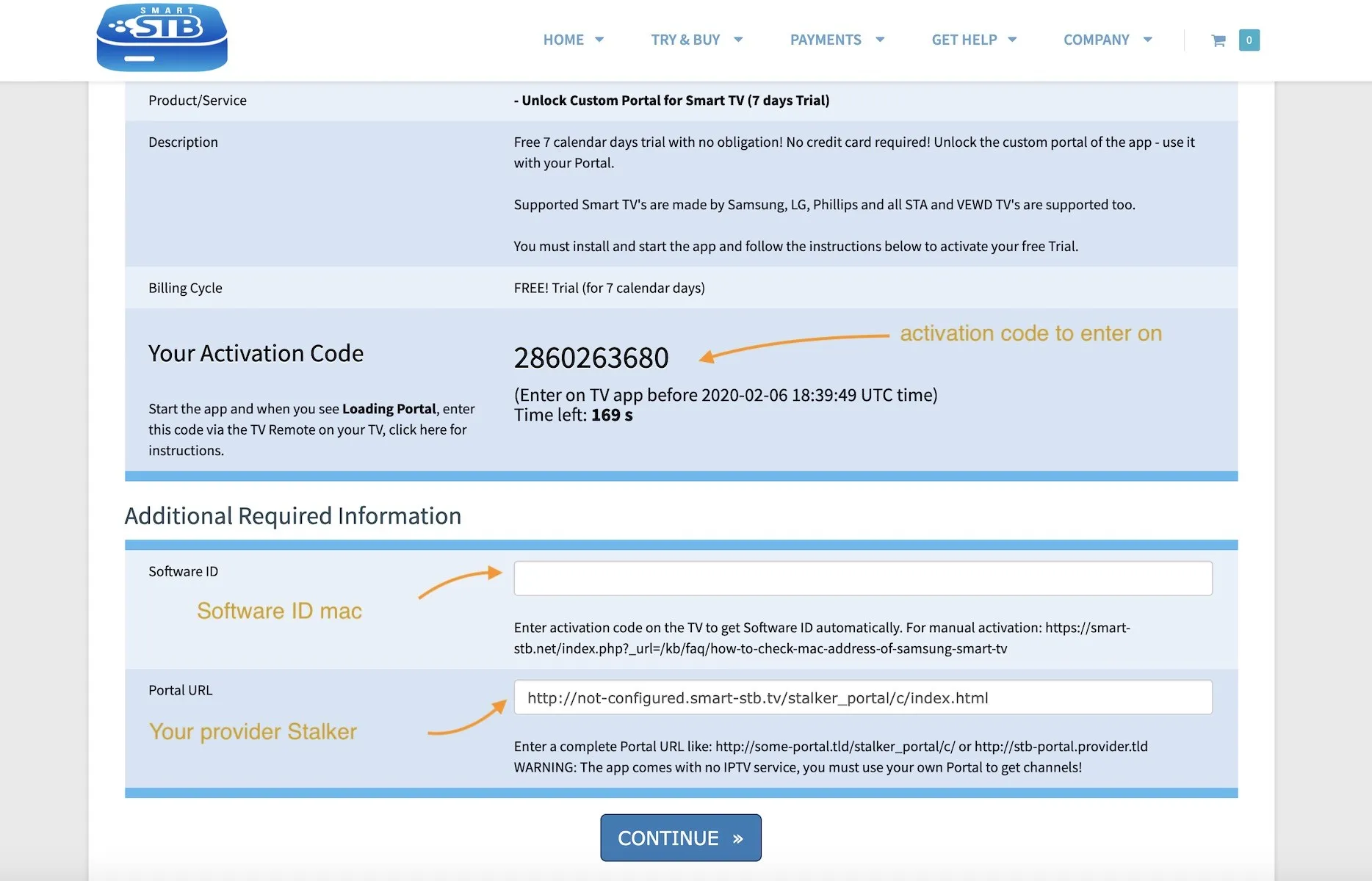
- 3
Create an account
Register and log in on the Smart STB site to activate the trial; the order status changes to Active.
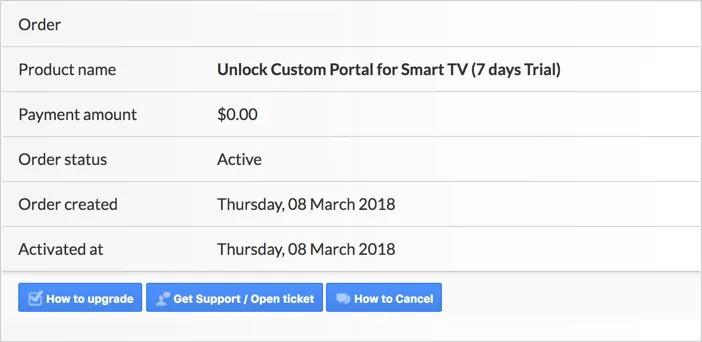
- 4
Add the Virtual MAC to your provider
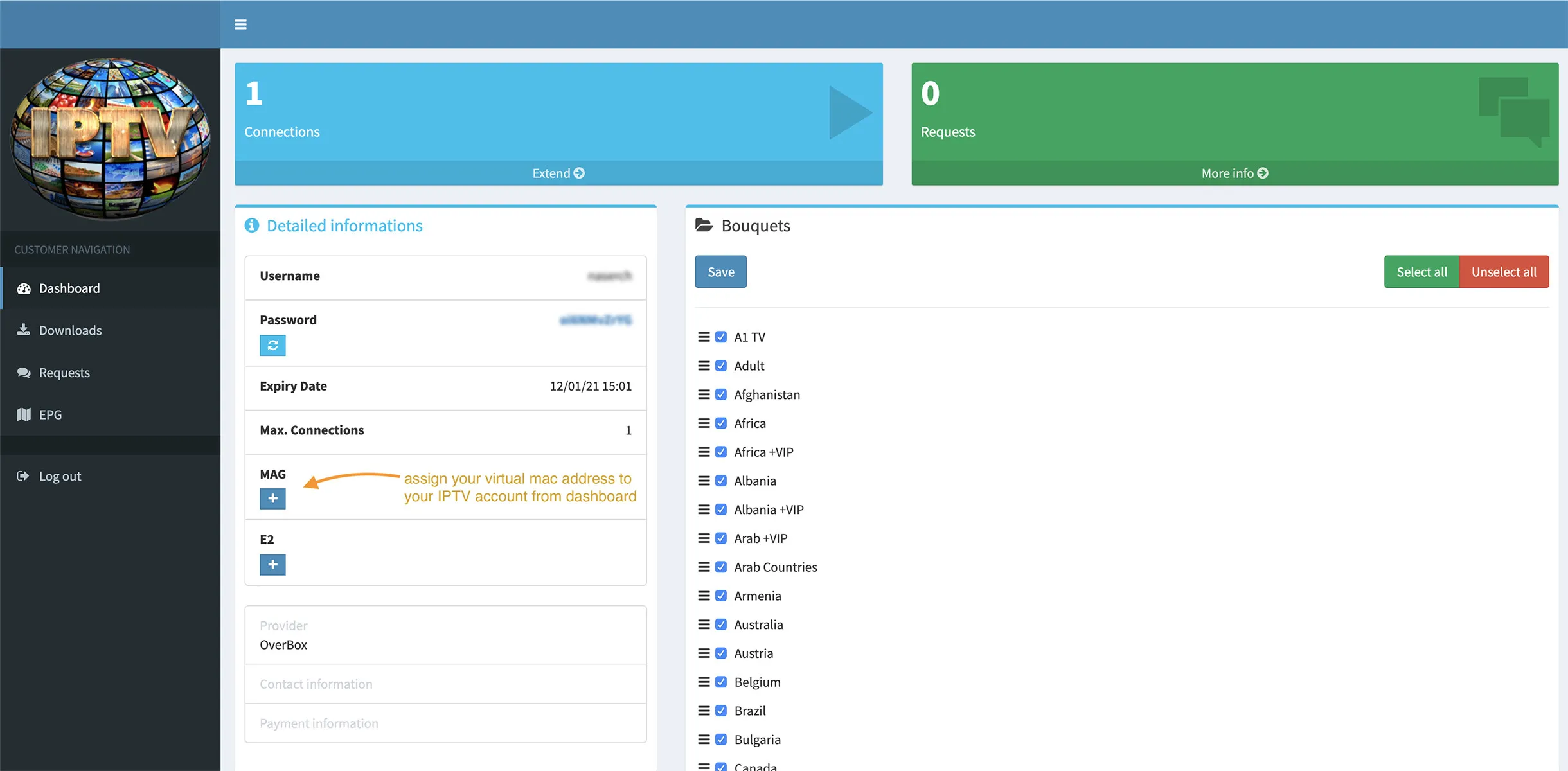
Give the Virtual MAC from the app to your IPTV provider so they can authorize your device.
Frequently asked questions
How do I add my MAC address to my IPTV server?
Use the Virtual MAC shown on the app's Device Info page. Most IPTV providers have an advanced dashboard where you can register this address. If you can't find that option, ask your provider to add it for you.
Where do I find my Stalker portal address?
Check your IPTV provider's advanced dashboard. If it isn't listed, you can usually extract the Stalker portal from your M3U link, which works with around 90% of providers.
What's the difference between the Software MAC and the Virtual MAC?
The Software MAC activates the Smart STB app on the Smart STB website. The Virtual MAC is the one you give your IPTV provider so they can authorize your subscription on their server.
Is Smart STB free?
It includes a 7-day free trial. After that, you can buy a monthly, yearly, or lifetime license through the Smart STB billing area. Lifetime licenses never expire.
Don’t have your login yet?