

How to set up Set IPTV
Install SET IPTV on Samsung Smart TV (Tizen) and Android. Load your playlist with your MAC address via M3U or Xtream Codes, the recommended method for EPG.
- 1
Find your MAC address
Open the SET IPTV app and note the MAC address shown on screen.
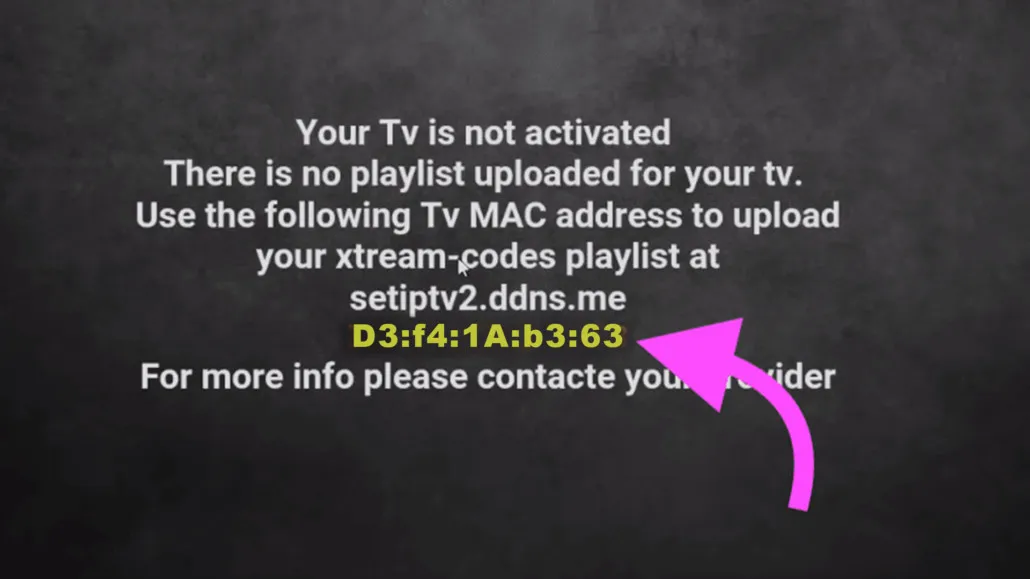
- 2
Open the upload portal
On a computer or phone, go to the SET IPTV upload portal and choose either the M3U or Xtream Codes method.
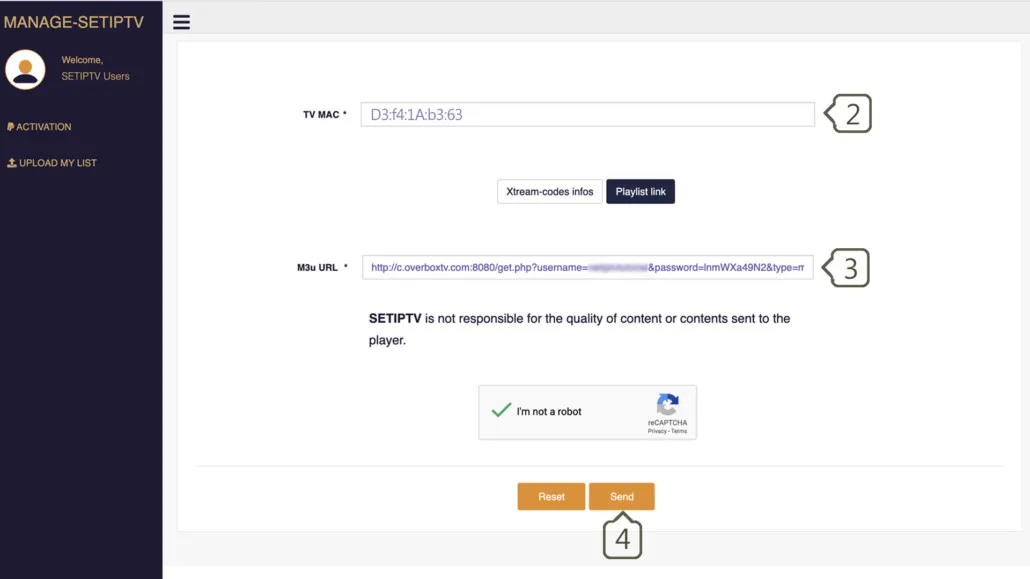
- 3
Enter your MAC address
Type your MAC address into the TV MAC field on the portal.

- 4
Enter your playlist details
Paste your M3U link, or enter your Xtream Codes server, username, and password.
- 5
Send and restart
Complete the CAPTCHA, click Send, then restart the SET IPTV app to load your channels.
Frequently asked questions
Why doesn't SET IPTV load the EPG (TV guide)?
To load EPG data you need to connect using the Xtream Codes method. The plain M3U link method does not pull in full EPG information.
Can I use an external player with SET IPTV?
No. There is currently no external player option for SET IPTV; playback uses the app's built-in player.
How much does SET IPTV cost?
SET IPTV offers a 7-day free trial. After that, a one-time activation of €14.99 unlocks the app permanently through the developer portal.
Which devices support SET IPTV?
SET IPTV is available for Samsung Smart TVs running Tizen OS and for Android devices via a direct download link.
Don’t have your login yet?