
How to set up Net IPTV
Install Net IPTV on Samsung, LG, Android, and Fire TV Stick. Find your MAC address, upload your M3U playlist on the Net IPTV portal, and start streaming.
- 1
Install the app
Download Net IPTV from your device's store, or sideload it on Fire TV Stick using the Downloader app.
- 2
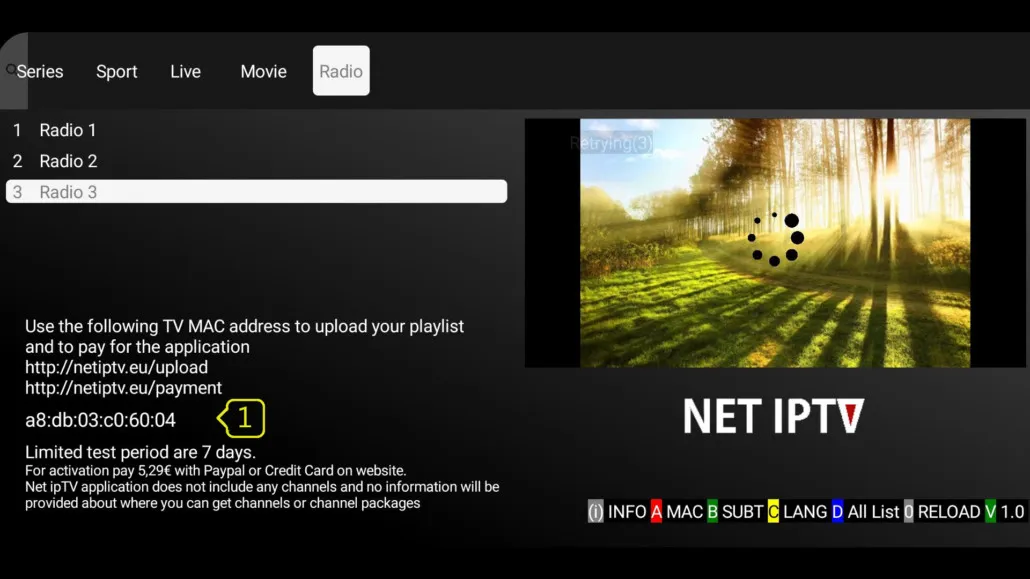
Find your MAC address
Open Net IPTV and note the MAC address shown in the information screen (often opened with the red button).
- 3
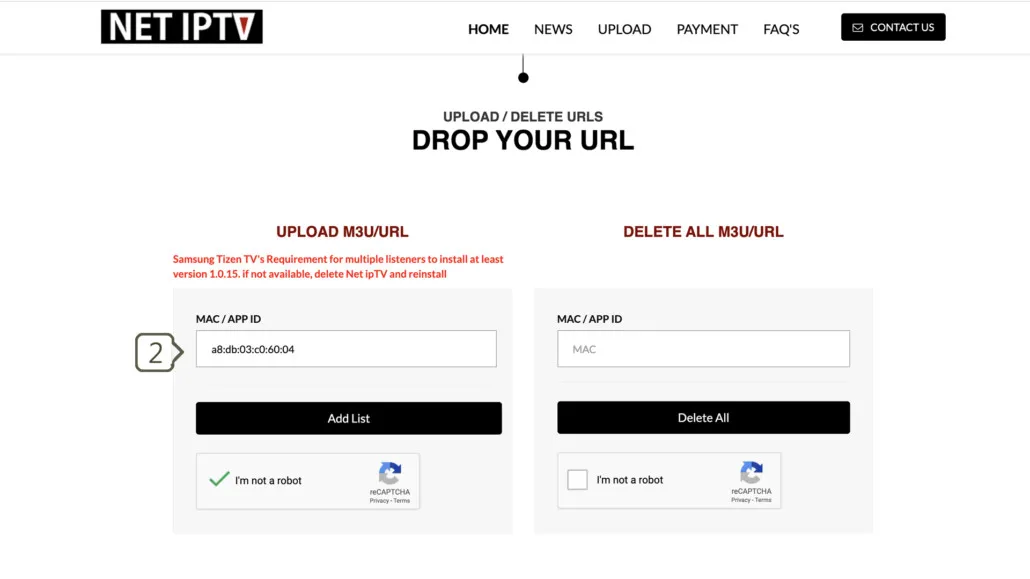
Open the upload portal
On a computer or phone, go to the Net IPTV upload portal and enter your MAC address in the MAC / APP ID field.
- 4
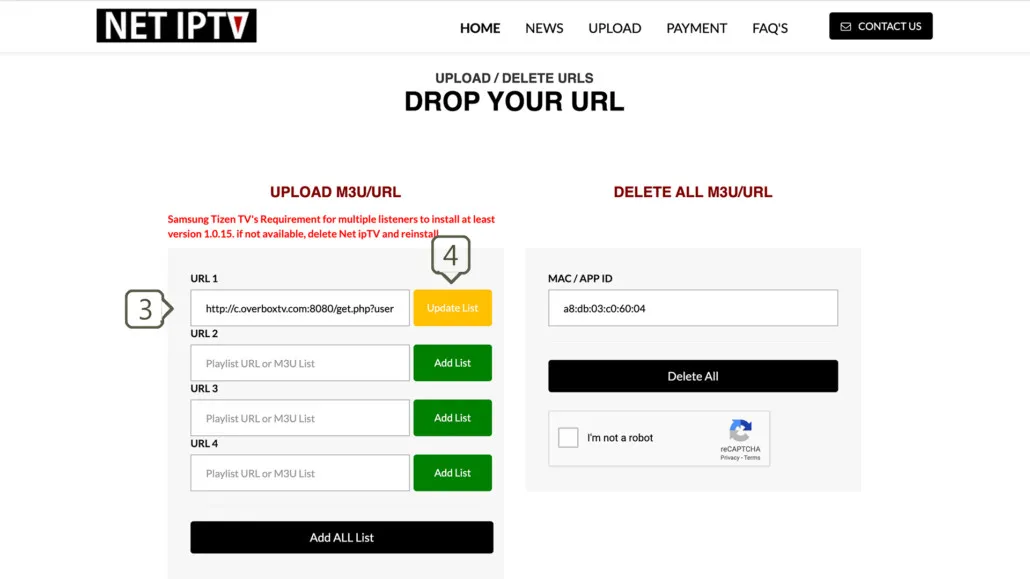
Add your M3U playlist
Paste your provider's M3U link into the URL field, click Update List, then reload the app to load your channels.
Frequently asked questions
What is Net IPTV and which devices support it?
Net IPTV is a lightweight IPTV player app and an alternative to Smart IPTV. It works on Samsung Tizen TVs (2016 and newer), LG WebOS TVs, Android devices, and the Amazon Fire TV Stick.
Is Net IPTV free?
Net IPTV offers a 7-day free trial. After that you make a one-time payment to activate the app permanently for your device's MAC address.
Where do I find my M3U playlist link?
Your IPTV provider supplies the M3U link, usually through their client dashboard or account area. You upload that link to the Net IPTV portal to load your channels.
Why won't my channels load?
Verify your M3U link works in a player like VLC, confirm your trial or paid activation is active, restart your router, and re-submit your list on the portal.
Don’t have your login yet?