

How to set up IPTV Smarters Pro
Install and set up IPTV Smarters Pro on Android, iOS, Windows, Mac, and Fire TV using Xtream Codes or an M3U playlist. Quick step-by-step guide.
- 1
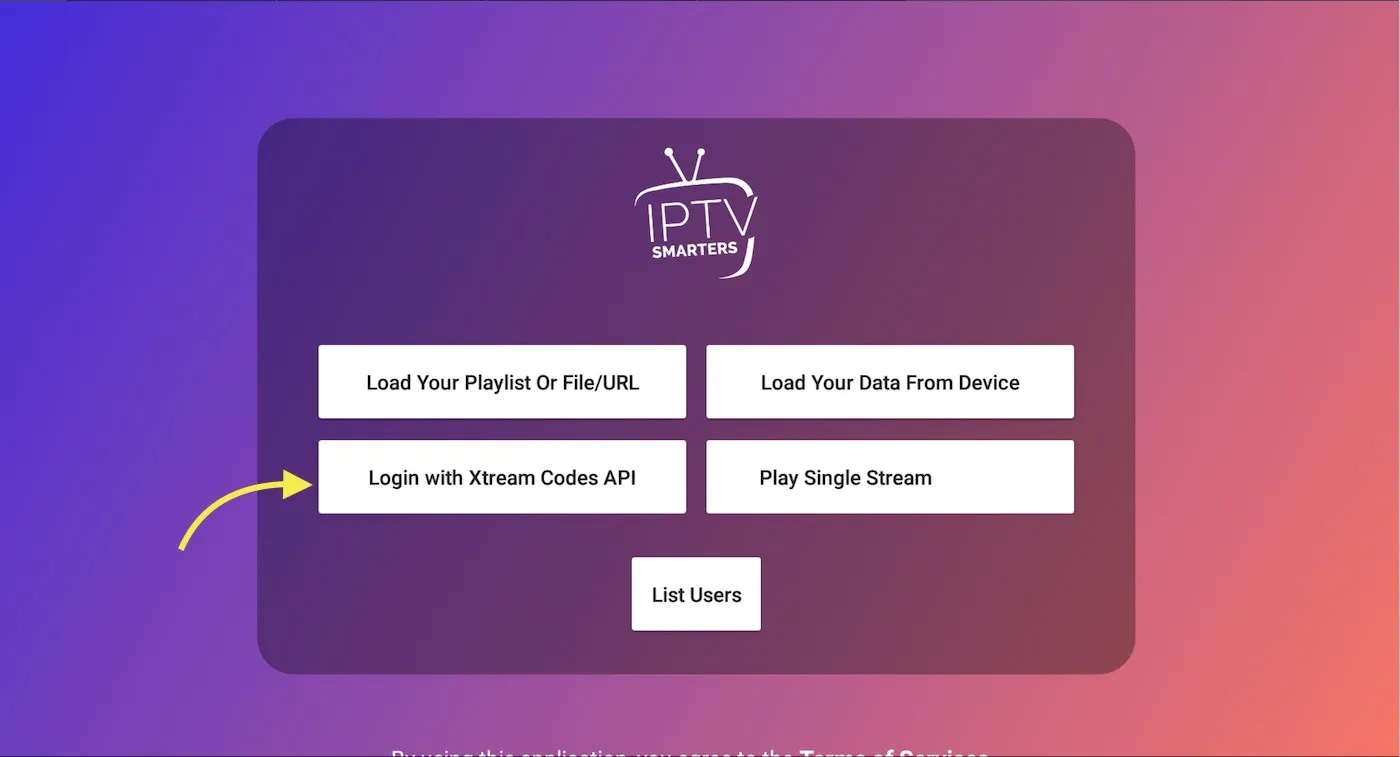
Choose your login type
Open the app and select how you want to add your playlist. Xtream Codes API is recommended as it is supported by more than 95% of IPTV providers.
- 2
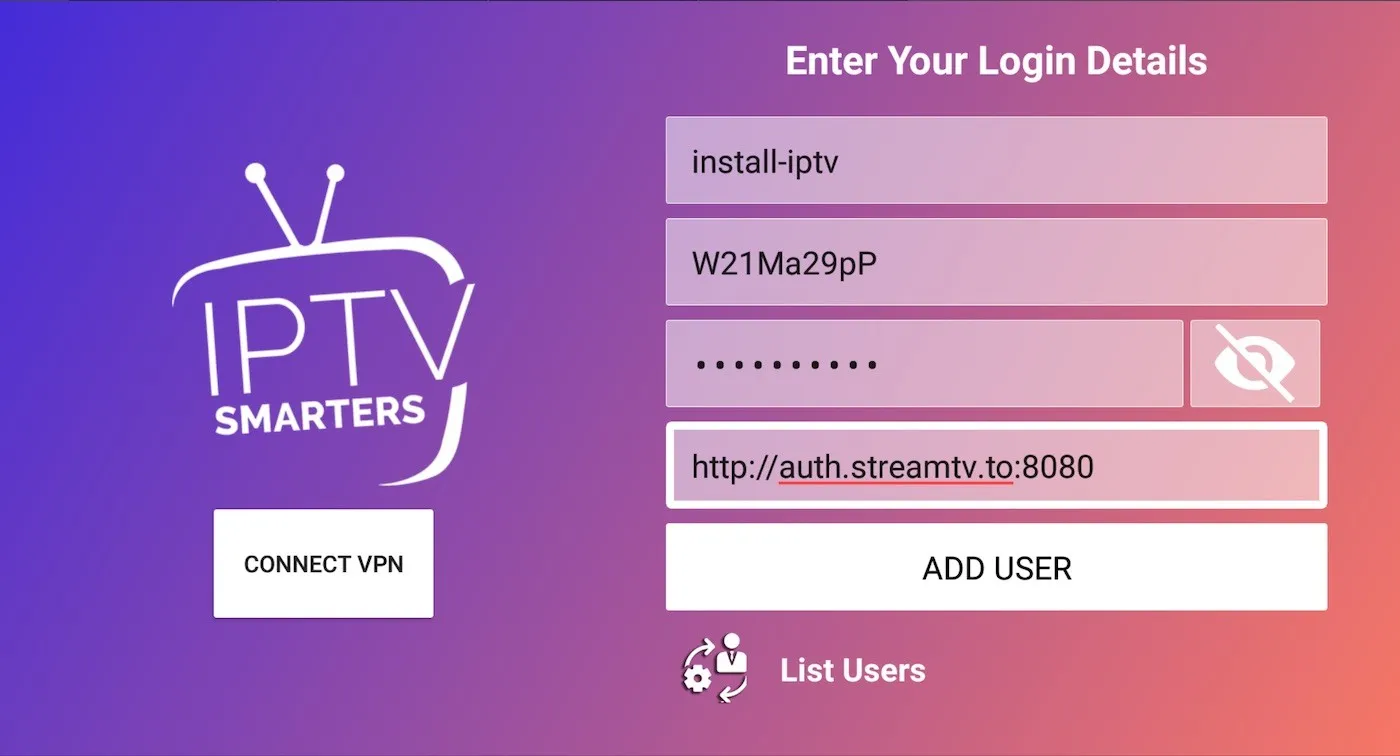
Enter your connection details
Type any name for your list, then enter the Xtream Codes username, password, and server URL from your IPTV provider and press Add User.
- 3
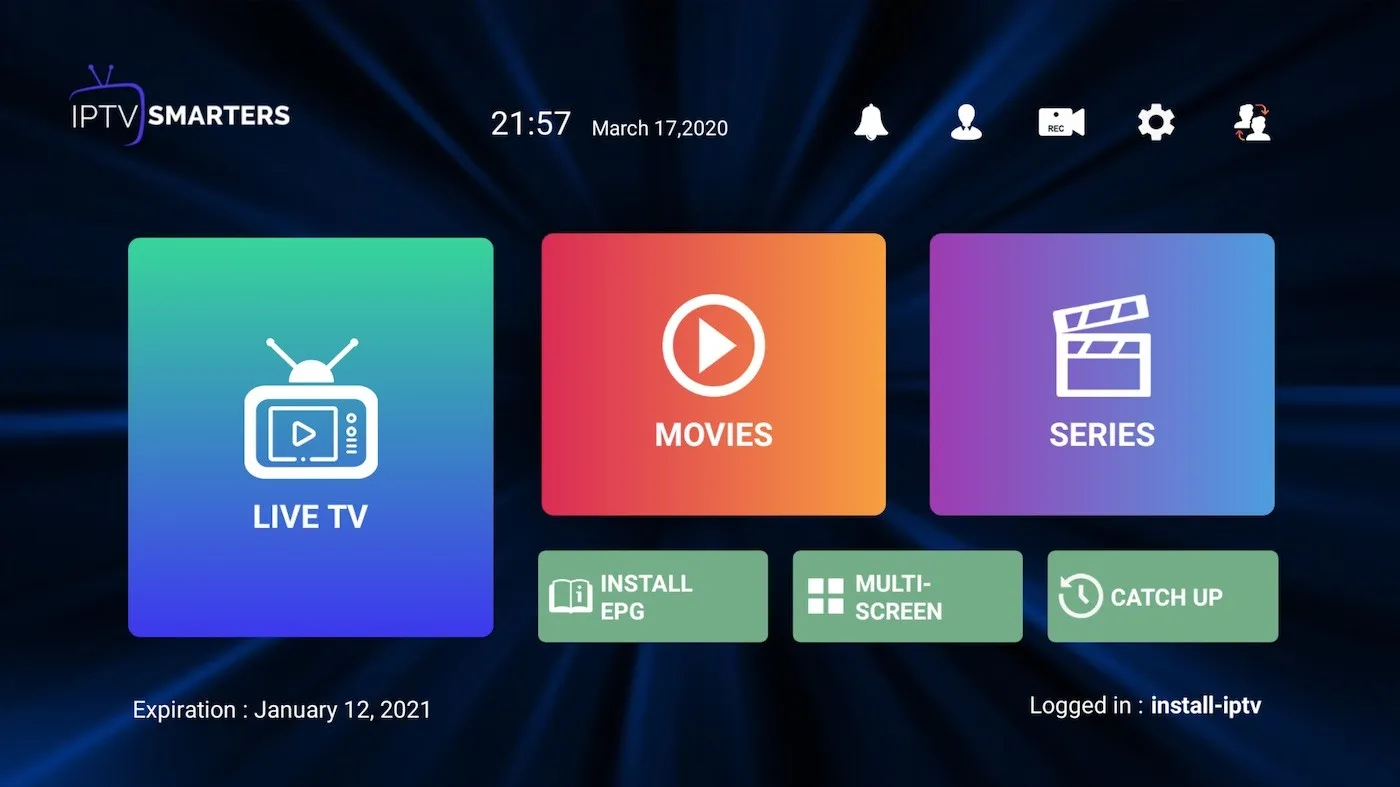
Start watching
After a successful login, open Live TV, Movies (VOD), and Series to browse your content.
Frequently asked questions
How do I find my Xtream Codes details?
If your provider only gave you an M3U link, you can extract the server URL, username, and password directly from that link's parameters.
How do I install IPTV Smarters Pro on a Fire TV Stick?
Install the Downloader app, enable Apps from Unknown Sources in Settings > My Fire TV > Developer Options, then open Downloader and enter the install URL provided by your provider to download and install the app.
Which platforms support IPTV Smarters Pro?
It is available for Android, iOS, macOS, Windows, and many Smart TVs. On iOS and iPad it is published under the name Smarters Player Lite.
Don’t have your login yet?