

How to set up IP Television
Set up IPTV on the IP Television app for iPhone, iPad, Apple TV and Mac. Add your M3U playlist manually in a few minutes and start streaming live channels.
- 1
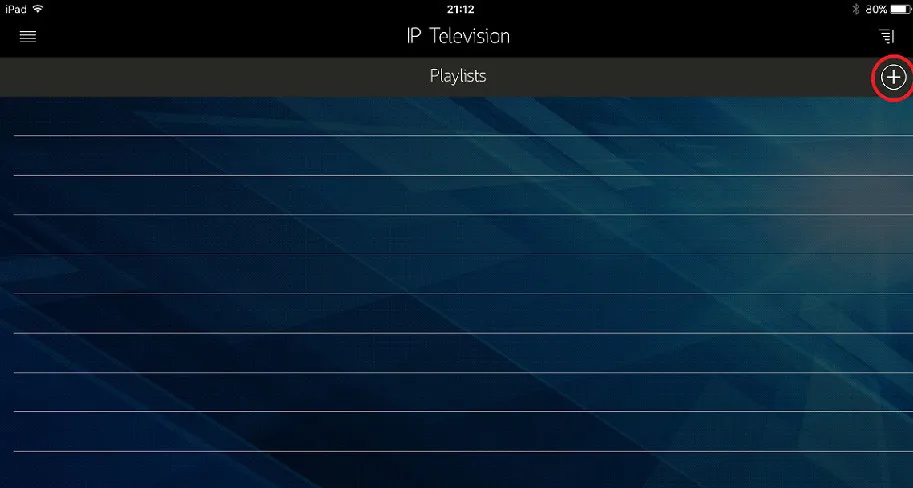
Tap the plus icon
Open IP Television and tap the + icon in the top-right corner.
- 2
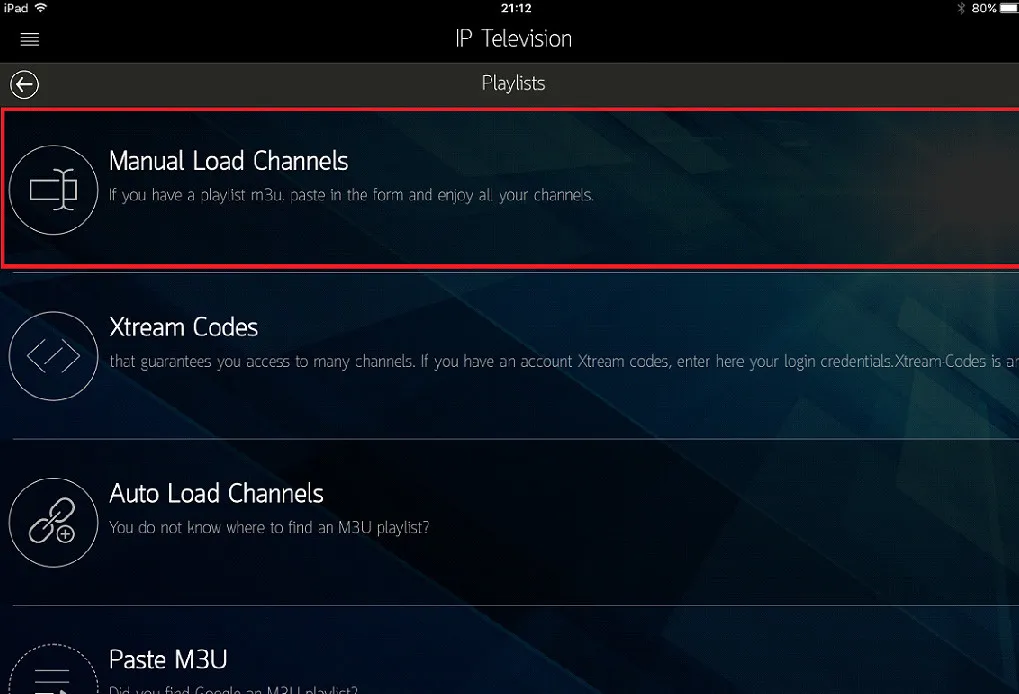
Choose manual entry
Select Manual Load Channels from the available options.
- 3
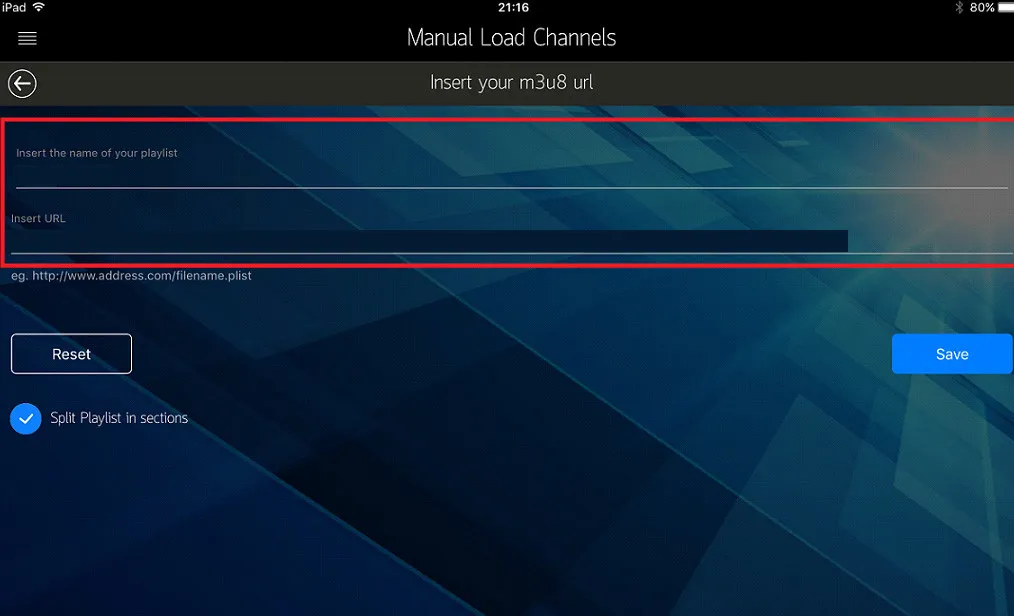
Add your M3U playlist
Enter a playlist name and your M3U URL, tap Save, then restart the app.
Frequently asked questions
Which Apple devices does IP Television support?
IP Television runs on iPhone, iPad, Apple TV, and macOS, and is available on the App Store.
What do I need before setting up IP Television?
You'll need an internet connection, an active IPTV subscription, and the M3U playlist URL provided by your IPTV provider.
Are there alternative apps for Apple TV?
Yes. GSE Smart IPTV and iPlayTV are two popular alternatives for streaming IPTV on Apple TV.
Don’t have your login yet?