
How to set up Home IPTV
Learn how to install IPTV on the Home IPTV app for LG and Samsung Smart TVs by adding your TV ID and M3U playlist through the Home IPTV portal.
- 1
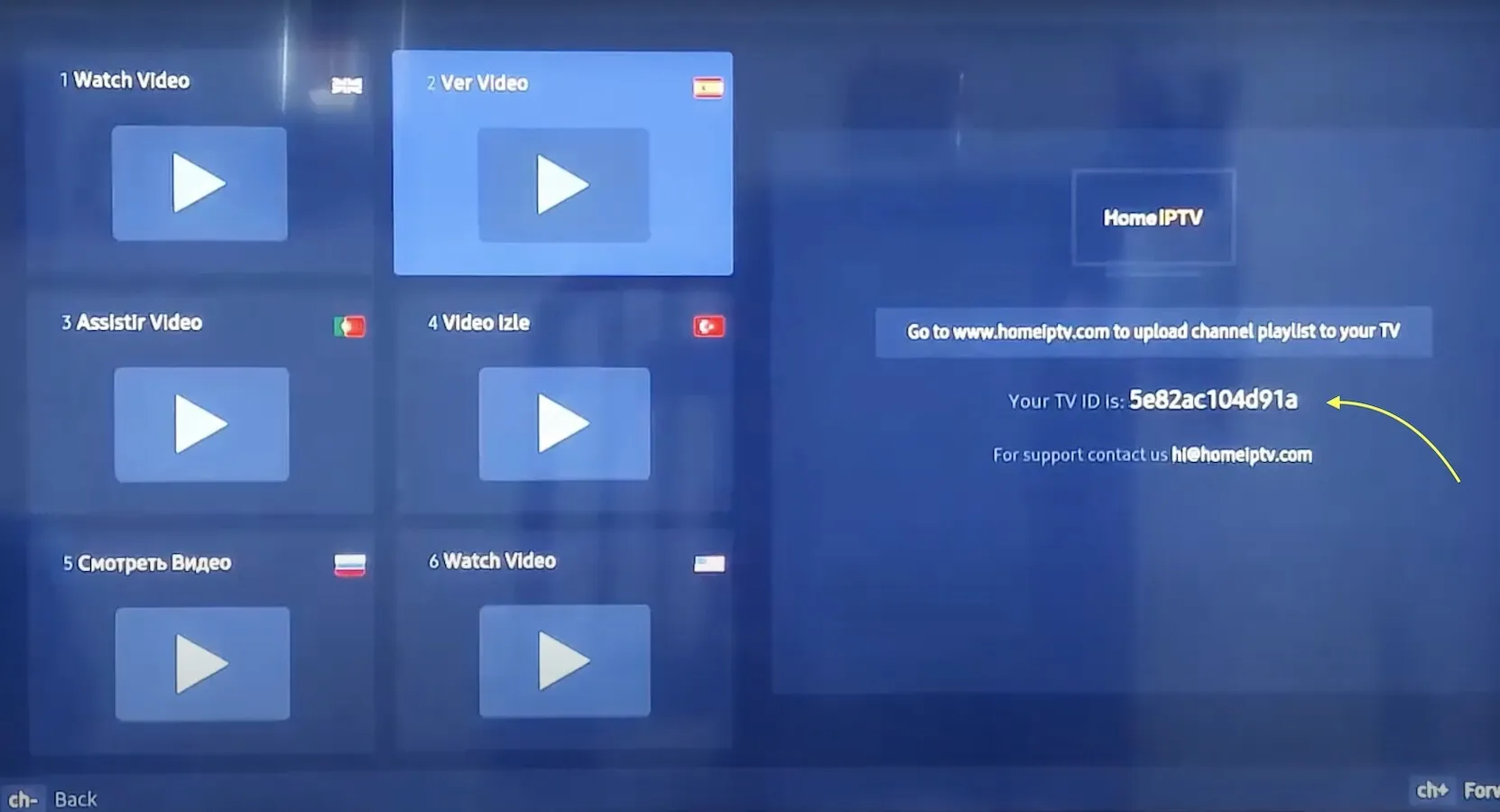
Find your TV ID
Open the Home IPTV app on your Smart TV and note the unique TV ID shown on screen.
- 2
Open the Home IPTV portal
On a computer or phone, go to the Home IPTV upload portal at homeiptv.com.
- 3
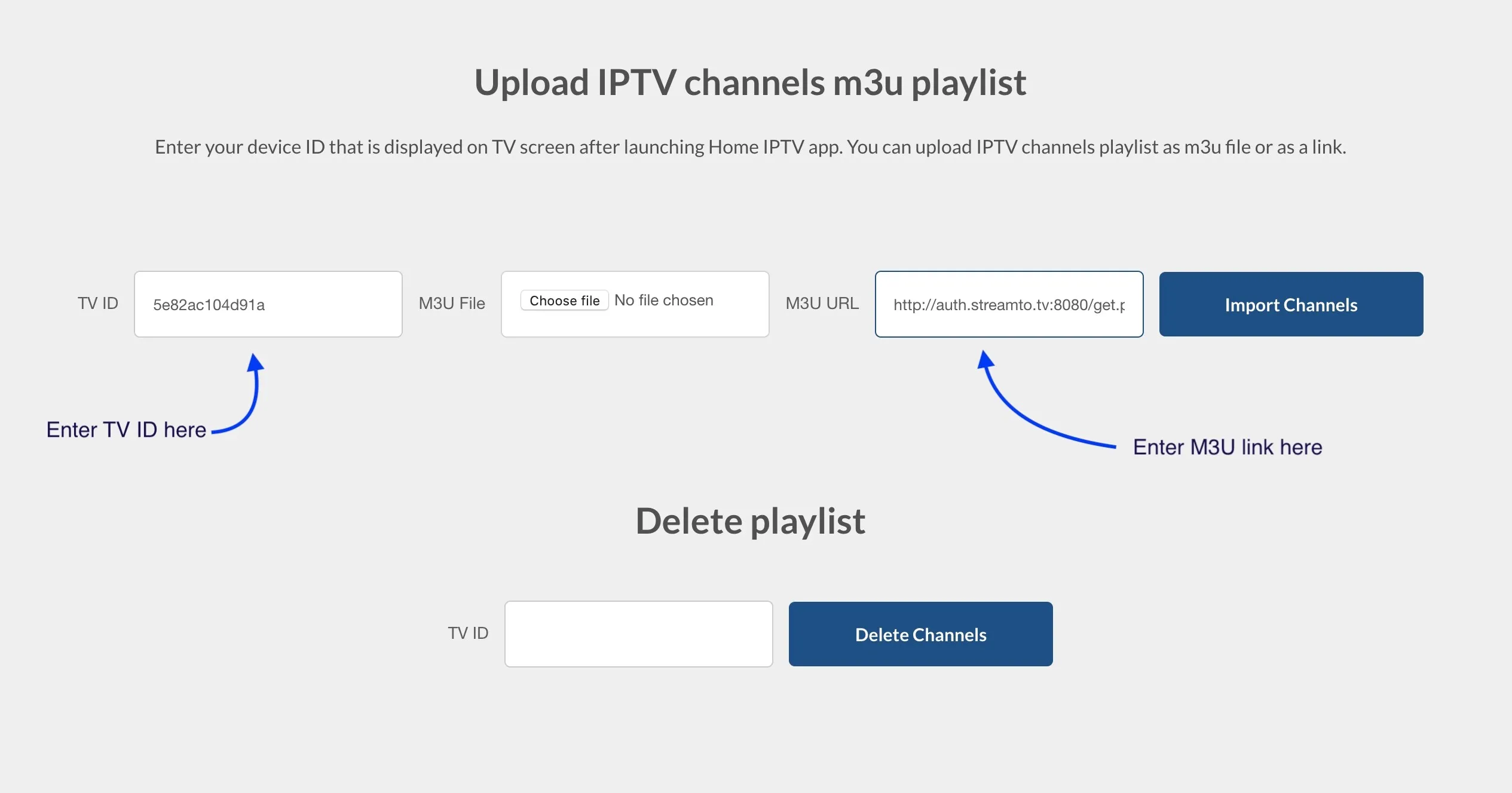
Add your TV ID and M3U link
Enter your TV ID and the M3U link from your IPTV provider, then import your channels.
Frequently asked questions
Does Home IPTV include any TV channels?
No. Home IPTV is only a media player. You need an active subscription from an IPTV provider, who will give you the M3U link to load into the app.
Which devices does Home IPTV support?
It runs on LG Smart TVs with webOS and Samsung Smart TVs with Tizen OS. Install it from your TV's built-in app store.
Home IPTV no longer works on my TV. What can I do?
Home IPTV is no longer maintained by its developer, so it may stop working at any time. We recommend switching to an actively supported Smart TV IPTV app such as Smart IPTV or Smart STB.
Don’t have your login yet?