
How to set up GSE Smart IPTV
Install GSE Smart IPTV on iOS, Android, macOS, and Fire TV. Add your Xtream Codes login or M3U URL, load EPG, record channels, and cast to Chromecast.
- 1
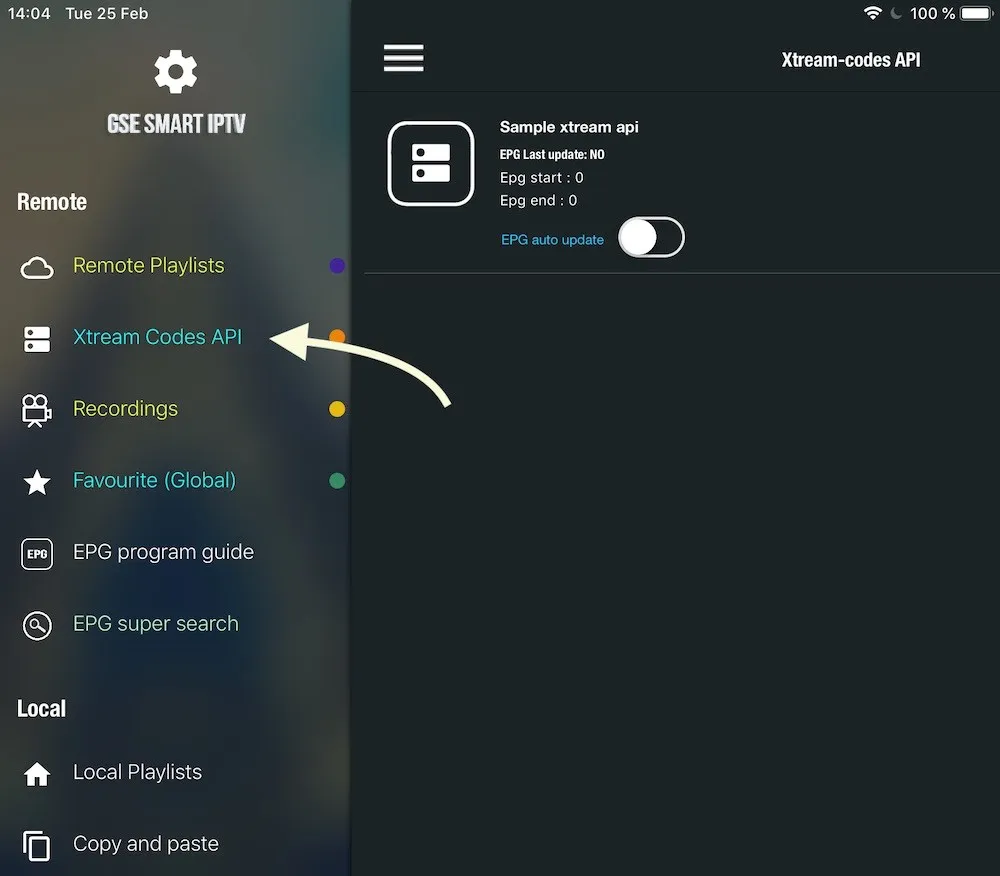
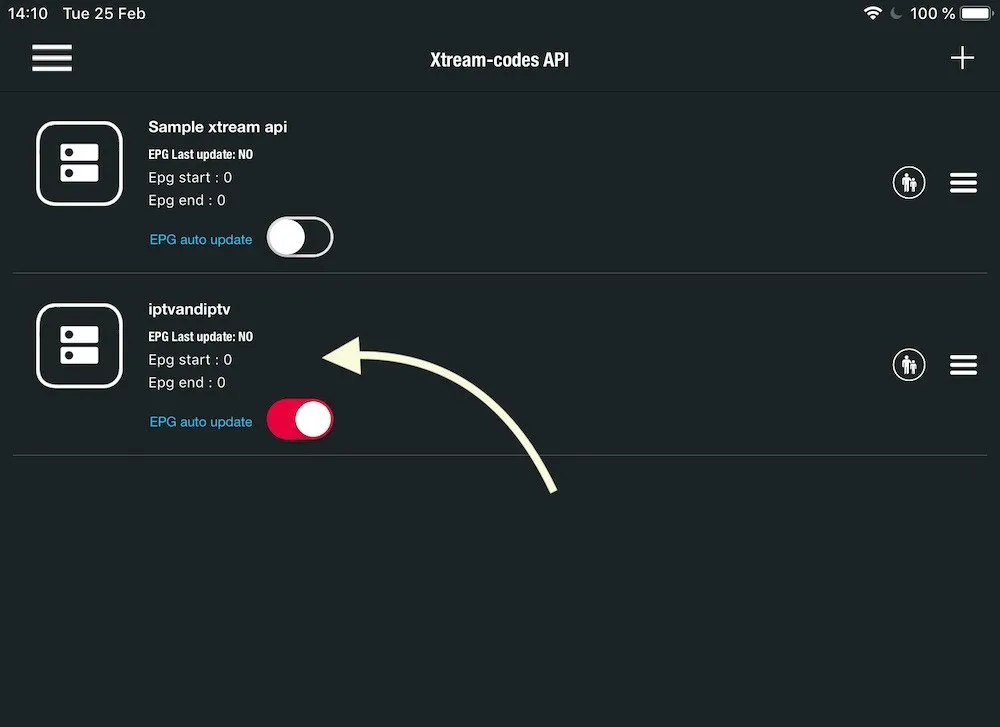
Open Xtream Codes API
From the app menu, open the Xtream Codes API section.
- 2
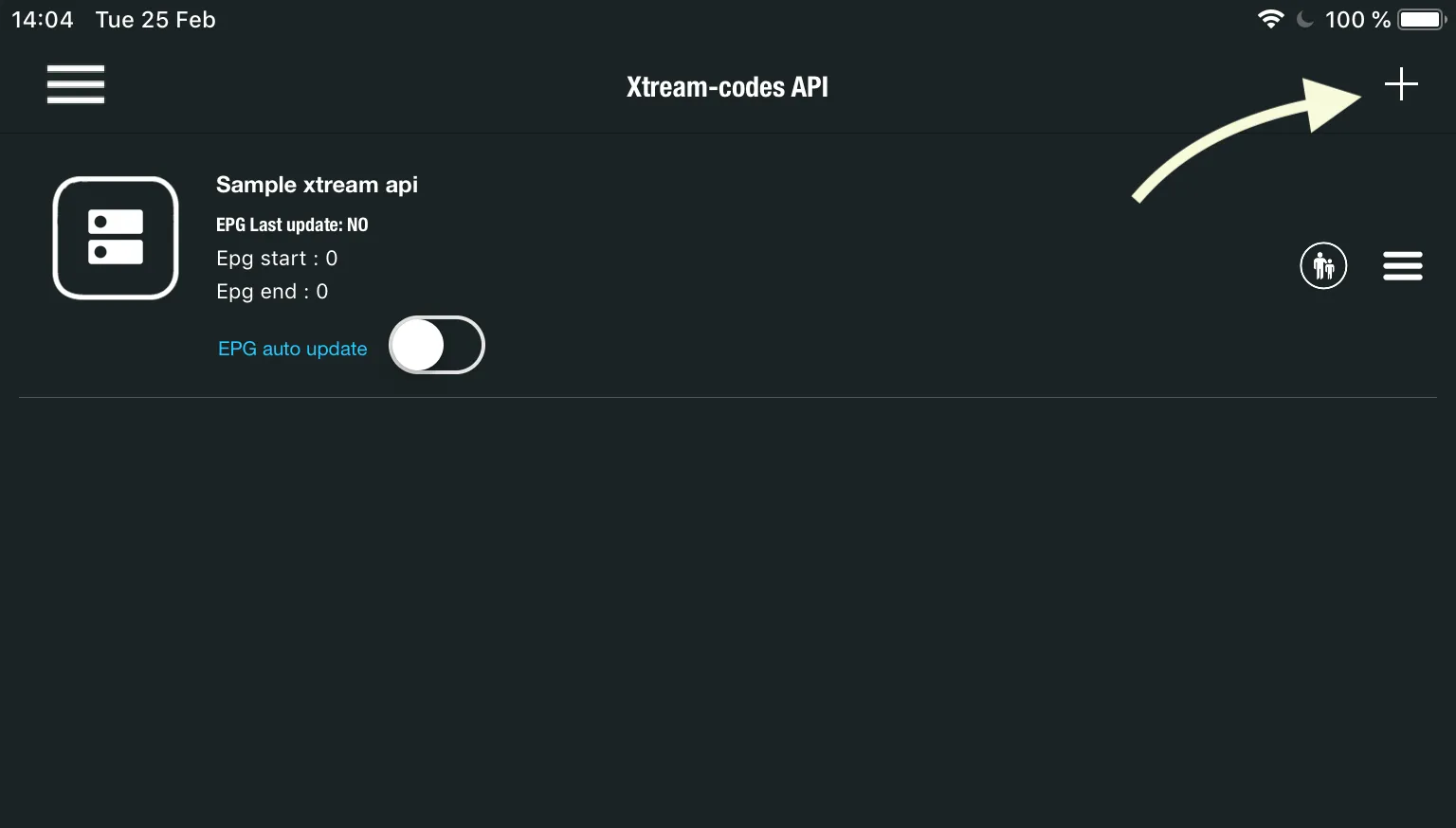
Add a new list
Tap the + icon to create a new Xtream Codes list.
- 3
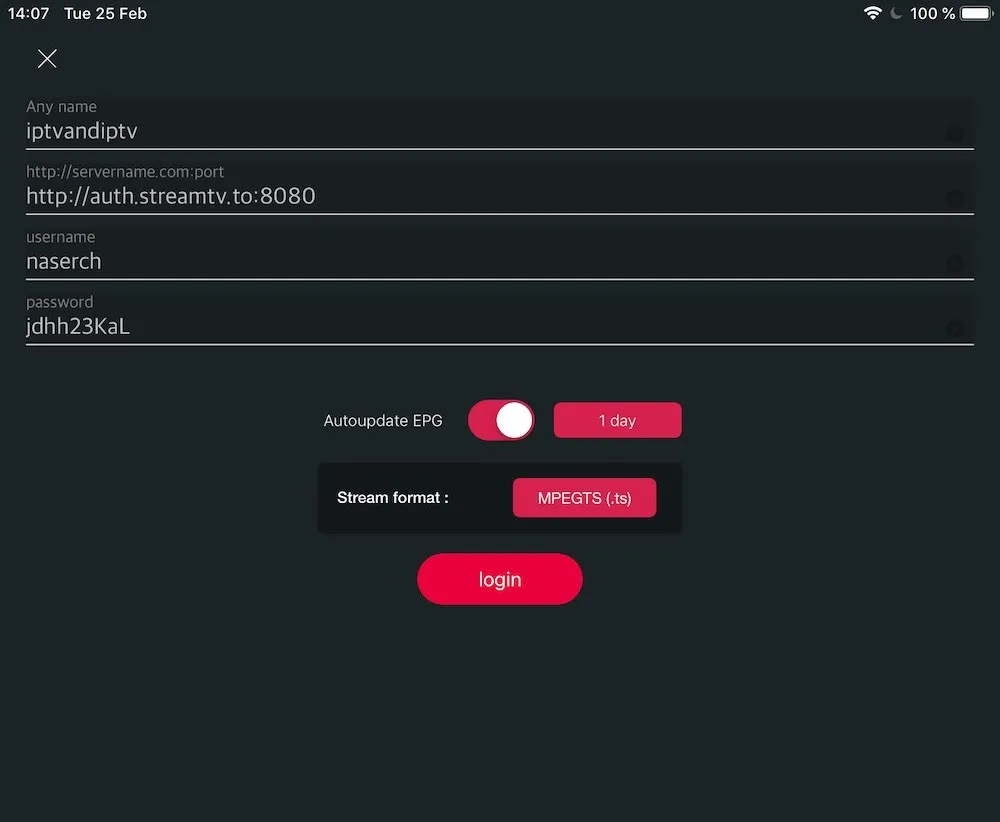
Enter your provider details
Type in the server, username, and password from your provider, name the list, enable Auto-update EPG, and tap login.
- 4
Start watching
Open the list you just created to browse live channels and movies.
Frequently asked questions
Can I use an M3U link instead of Xtream Codes?
Yes. Open the Remote Playlists section, choose Add M3U URL, and paste your M3U link from your provider.
How do I record a channel?
When you pick a channel, choose Play/Record. Then, inside the player, press the RED button to start recording.
How do I remove the ads?
Open the Purchase menu inside the app and buy the premium version to remove ads.
Can I cast to a TV with Chromecast?
Yes. Tap the Cast icon in the top-right corner of the app to stream to any Chromecast device on your network.
Don’t have your login yet?